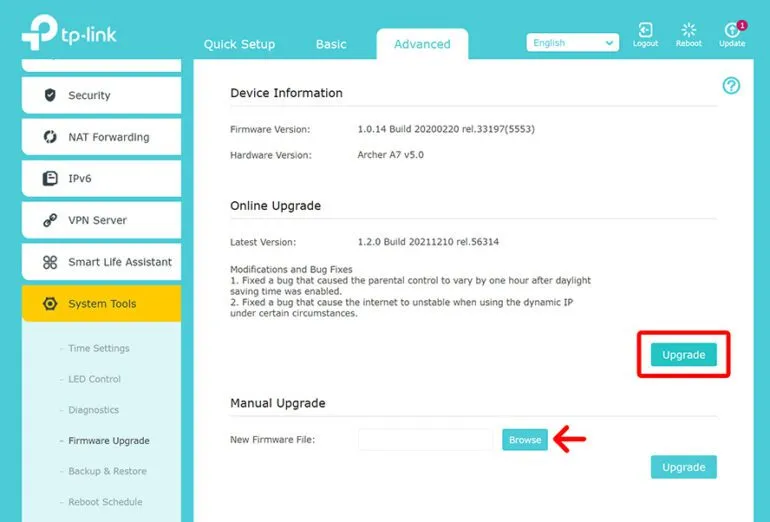
Is That Really Your Router's Admin Panel? How Fake Login Pages Steal Your Credentials
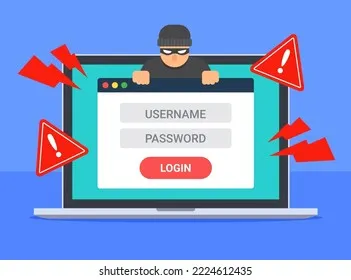
Photo: hacker phishing fake login page computer screen warning, via www.shutterstock.com
The Assumption That Makes You Vulnerable
Most people who manage their home router do so with a degree of quiet confidence. They type a familiar address — often something like 192.168.1.1 or routerlogin.net — into their browser, enter their credentials, and get on with whatever configuration task brought them there. The process feels routine, almost mechanical.
That sense of familiarity is exactly what attackers rely on.
A growing category of threats specifically targets the router login process, exploiting the fact that most users never stop to verify whether the page in front of them is actually served by their own hardware. Through techniques ranging from DNS hijacking to rogue access points, cybercriminals have found ways to intercept that moment of authentication — capturing usernames, passwords, and in some cases, full administrative control of a network — without the user ever realizing something went wrong.
What DNS Hijacking Actually Looks Like
Domain Name System (DNS) hijacking involves altering the DNS records that translate human-readable addresses into IP addresses. When this occurs at the router level — which is increasingly common — the device itself is compromised and begins returning fraudulent responses to DNS queries made by every device on the network.
The practical effect is subtle but serious. A user who types routerlogin.net into their browser may be directed to a page that looks visually identical to their router's admin panel. The layout matches. The branding matches. Even the fields for username and password are positioned exactly where they would expect them to be. What does not match is where those credentials actually go once submitted.
In documented attack scenarios, this harvested data has been used to lock legitimate users out of their own devices, reroute internet traffic through malicious servers, and intercept unencrypted communications across the entire household network.
Why Domain Names Are the Weak Link
The core vulnerability here is the use of domain names rather than direct IP addresses when accessing the router's admin interface. Domain names depend on DNS resolution — and DNS resolution, as described above, can be manipulated.
Using the router's actual local IP address bypasses this layer of risk entirely. Instead of relying on a hostname that must be looked up and resolved, the browser connects directly to the device at its specific address on the local network. Common default gateway addresses include 192.168.0.1, 192.168.1.1, and 10.0.0.1, though these vary by manufacturer and can be customized.
To confirm your router's IP address on a Windows computer, open Command Prompt and type ipconfig. Look for the line labeled Default Gateway under your active network adapter. On a Mac, navigate to System Settings > Network, select your active connection, and view the router address listed there. On an iPhone or Android device, the gateway address is typically accessible through the Wi-Fi details for your connected network.
Once you have confirmed the correct IP address, bookmark it. Use that bookmark — not a typed domain name — every time you access your admin panel.
Recognizing the Warning Signs of a Counterfeit Panel
Even when accessing the admin interface by IP address, it is worth developing the habit of scrutinizing what loads. Several indicators can suggest that something is wrong.
Unexpected certificate warnings are a significant red flag. Legitimate router admin panels served over HTTPS will present a certificate tied to the device. If your browser displays an unusual security warning when you have not recently changed your router's configuration, do not dismiss it.
Unfamiliar interface layouts deserve attention. If the admin panel you see looks different from what you have navigated before — different menu structures, unfamiliar branding, or a login page that asks for more information than usual — stop and investigate before entering any credentials.
Requests for information a router would not need are another tell. A genuine admin panel will ask for your router's administrative username and password. It will not ask for your ISP account credentials, your email address, or your billing information. Any such request should be treated as a phishing attempt.
What to Do If You Suspect Compromise
If you have reason to believe your DNS settings have been altered or that you have submitted credentials to a fraudulent page, act promptly.
First, perform a factory reset on your router using the physical reset button on the device itself — typically a recessed button requiring a pin or paperclip to press. This bypasses any software-level manipulation and restores the device to its original state.
After the reset, access the admin panel immediately using the default IP address (found on the label on your router's underside or in the manufacturer's documentation) and change both the administrative password and the Wi-Fi password before reconnecting any devices.
Next, review the DNS settings in your admin panel. Under WAN or Internet settings, check whether DNS server addresses have been manually specified. If you did not configure these entries yourself, clear them and set your preferred DNS servers manually — well-regarded options include Google's 8.8.8.8 and 8.8.4.4, or Cloudflare's 1.1.1.1.
Finally, change any passwords you may have entered on the suspected fraudulent page, particularly if those credentials are reused elsewhere.
Building a Safer Login Habit
Router security is often discussed in terms of settings and configurations, but the login process itself deserves the same level of scrutiny. Treating every access to your admin panel as a moment that warrants verification — rather than a reflexive routine — significantly reduces the window of opportunity for these attacks.
Use direct IP addresses. Confirm the address before entering credentials. Keep your router's firmware current, as manufacturers regularly patch vulnerabilities that enable DNS hijacking. And consider enabling HTTPS access to your admin panel if your router supports it, which adds an additional layer of authentication to the connection.
The admin panel is the single point of control for your entire home network. Protecting access to it is not a technical exercise reserved for IT professionals — it is a basic discipline that every household network administrator should practice.