Beyond the Admin Password: The Router Vulnerabilities Hackers Exploit That Most Users Never See Coming
When most people think about securing their router, they think about passwords. Change the default admin credentials, pick something strong, done. It's a reasonable instinct, and it's not wrong — but it addresses only one layer of a much larger attack surface.
The uncomfortable reality is that a significant portion of router compromises affecting US households and small businesses do not involve the admin password at all. Attackers use features built into the router itself — features that are enabled by default, that most users have never heard of, and that manufacturers rarely highlight in their setup guides. Understanding these vectors is the difference between a network that's merely password-protected and one that's genuinely hardened.
The UPnP Problem: Convenience Designed Without Security in Mind
Universal Plug and Play, or UPnP, was designed to make life easier. When a device on your network — a gaming console, a smart TV, a streaming stick — needs to open a port to communicate with an external server, UPnP allows it to do so automatically, without requiring you to configure anything manually.
The problem is that UPnP was architected with zero authentication. Any device on your local network can instruct the router to open any port and forward traffic to any internal address — and the router will comply without asking questions. This means that if a single device on your network is compromised by malware, that malware can use UPnP to open a persistent, externally accessible backdoor into your network. The attacker never needs to touch your admin panel.
This is not a theoretical risk. UPnP-based attacks have been documented in major incidents affecting hundreds of thousands of routers across the United States, with malware families like CallStranger and EternalSilence explicitly targeting exposed UPnP implementations.
The fix is straightforward: log into your router's admin panel and disable UPnP entirely. For the vast majority of users, nothing will break. Applications that genuinely require open ports — certain multiplayer games, self-hosted servers — can be configured through manual port forwarding, which gives you explicit control over what's accessible and to what.
DNS Hijacking: When Your Router Sends You Somewhere You Didn't Ask to Go
DNS, the Domain Name System, is the mechanism that translates a web address like "bankofamerica.com" into the numerical IP address your device actually connects to. Your router typically acts as a DNS relay, passing your queries to a DNS server — usually your ISP's, or one you've specified manually.
DNS hijacking occurs when an attacker gains the ability to modify your router's DNS configuration, redirecting your queries to a malicious server under their control. When that happens, typing a legitimate website address into your browser can silently deliver you to a convincing counterfeit instead — one designed to harvest your login credentials or install malware.
What makes this particularly dangerous is that it can happen without the attacker ever knowing your admin password. Certain attack methods exploit vulnerabilities in the router's web interface through a technique called Cross-Site Request Forgery (CSRF), where visiting a malicious webpage causes your browser to silently send configuration-change commands to your router in the background. If your router's admin session is active, the change goes through.
To reduce your exposure, take two steps. First, change your router's DNS server settings to a reputable third-party provider — Cloudflare (1.1.1.1) and Google (8.8.8.8) are both solid choices that are harder to spoof than ISP-provided defaults. Second, always log out of your router's admin panel after making changes, rather than simply closing the browser tab. An expired session cannot be hijacked.
Remote Management: A Feature That Benefits Attackers More Than You
Most consumer and small business routers include a remote management feature that allows the admin panel to be accessed from outside the local network — from anywhere on the internet, using your router's public IP address. For a managed IT environment, this can be legitimate and useful. For the average household router, it is almost never needed and represents a significant attack surface.
When remote management is enabled, your router's login page is essentially visible to the entire internet. Automated scanning tools used by attackers sweep IP address ranges constantly, identifying devices with open management ports. From there, they can attempt credential brute-forcing, exploit known interface vulnerabilities, or probe for unpatched firmware flaws — all without any involvement from you.
Check your router's admin panel under the WAN, remote management, or advanced settings section. If remote management is enabled and you have no specific reason to need it, disable it immediately. The reduction in attack surface is substantial and the practical cost to most users is zero.
The Guest Network Security Blind Spot
Guest networks are a genuinely useful feature — they allow visitors to access the internet without giving them access to your main network and the devices on it. But they introduce a security consideration that's easy to overlook.
Many routers allow guest network clients to communicate with the router's admin interface. If your guest network password is shared casually — posted on a sign in a small business, texted to dozens of visitors over time — any of those individuals could potentially attempt to access your admin panel from the guest network. The admin password is the last line of defense in that scenario, which brings the discussion full circle: it matters, but it shouldn't be the only barrier.
Review your guest network settings and confirm that admin panel access from the guest network is restricted. This option is labeled differently across manufacturers — look for terms like "allow guests to access router settings" or "AP isolation" — but the goal is to ensure guest clients are isolated from both your primary devices and your management interface.
A Practical Security Checklist
Taking the above into account, here is a concise set of actions worth completing on any router you manage:
- Disable UPnP unless you have a specific, documented reason to need it.
- Set a manual DNS server (1.1.1.1 or 8.8.8.8) rather than relying on ISP defaults.
- Always log out of the admin panel after configuration sessions.
- Disable remote management if you do not actively use it.
- Audit guest network permissions to confirm admin interface access is blocked.
- Disable unused services — Telnet, FTP server, and legacy management protocols should be off unless actively required.
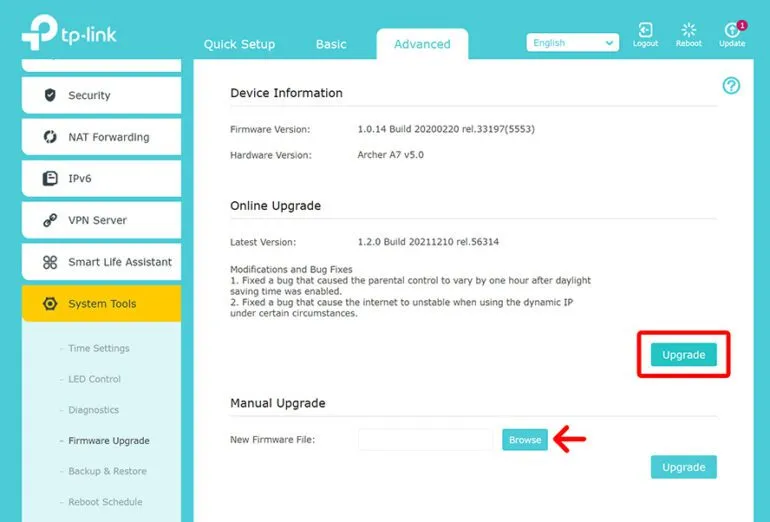
- Keep firmware current, not because updates are always perfect, but because unpatched vulnerabilities are a known quantity attackers actively exploit.
The Bigger Picture
Router security is often treated as a one-time task — change the password, move on. In reality, it is a configuration discipline. The features described in this article are not obscure edge cases; they are standard capabilities present in the overwhelming majority of routers currently operating in American homes and small offices. Attackers know they exist and know that most users have never reviewed them.
A strong admin password is a necessary foundation. But the networks that remain secure under sustained pressure are the ones whose owners understand what else is running on their routers — and have made deliberate choices about each of those features rather than accepting whatever defaults the manufacturer shipped.