When Ethernet Ports Fail Silently: How to Diagnose the Problem and What Your ISP Isn't Saying
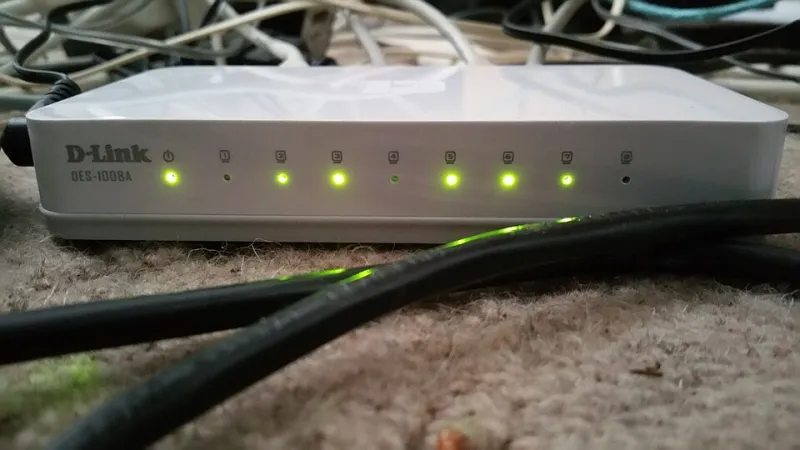
Photo: Deavmi, CC BY-SA 3.0, via Wikimedia Commons
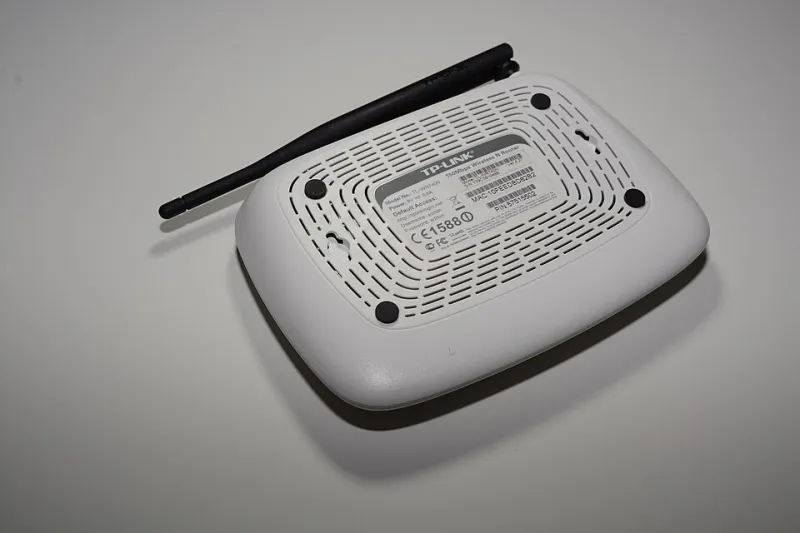
A wired Ethernet connection is supposed to be the most dependable link in your home network. No interference, no signal degradation from walls, no competition with neighboring Wi-Fi channels. When that connection starts dropping or stops working entirely, the instinct is to blame the cable or the device at the other end. Rarely does anyone suspect the router itself — and that is precisely what makes a failing Ethernet port so easy to misdiagnose.
Router Ethernet port failures are more common than either manufacturers or internet service providers care to admit. If you are renting a gateway device from your ISP, there is a reasonable chance you have never been told that the equipment has a documented failure history. This article explains why ports fail, how to confirm that a port — rather than a cable or end device — is the actual culprit, and what options you have while you work toward a permanent fix.
Understanding Why Ethernet Ports Degrade Over Time
Ethernet ports on consumer routers and ISP-provided gateways are not engineered for indefinite use. Several distinct failure mechanisms are worth understanding.
Physical wear from repeated connections. The RJ-45 connector standard specifies a rated insertion cycle — typically somewhere between 750 and 1,000 plug-and-unplug actions before the port's internal contacts begin to wear. In a household where cables are frequently swapped, that number can be reached faster than most people expect.
Electrostatic discharge damage. Plugging in a cable while the router is powered on can introduce a small static charge. Over time, repeated exposure degrades the port's internal magnetics — the transformer components that handle signal isolation. This type of damage is cumulative and invisible until the port simply stops negotiating a link.
Power delivery inconsistencies. Some router models distribute power unevenly across their switching hardware. Ports on the far end of the internal bus occasionally receive slightly less stable voltage, which accelerates component fatigue. This is rarely disclosed in product documentation.
Heat and environmental stress. Routers placed in enclosed cabinets, on top of cable boxes, or in poorly ventilated corners run hotter than intended. Sustained elevated temperatures accelerate the aging of the soldered connections between the port housing and the circuit board — a condition known as solder joint fatigue.
Telling a Bad Port Apart from a Bad Cable
Before concluding that a port has failed, it is essential to rule out the more common and more easily resolved culprits.
Start by swapping the cable. Use a known-good patch cable — ideally one you have verified works on another device — and connect it to the suspect port. If the connection remains unstable or absent, move to the next step.
Connect a different device to the same port. If a laptop that reliably connects on other ports shows the same problem on this one, the port itself becomes the primary suspect. If the new device connects without issue, the original device's network adapter may be the source of the problem.
Test the original device on a different port. A device that connects cleanly on an alternate port, but not on the original one, strongly indicates port-level failure rather than an adapter or cable issue.
Observe the port's indicator LEDs. A functioning Ethernet port on a healthy router should illuminate a link light when a cable is properly seated, even before any data is transmitted. A port that shows no light at all — despite a known-good cable and device — has almost certainly lost the ability to negotiate a physical connection.
If you have access to a network cable tester (available for under twenty dollars at most electronics retailers), you can verify cable integrity independently and eliminate that variable entirely.
Patterns That Point to Hardware Design or Manufacturing Defects
Certain failure patterns are worth noting because they suggest a systemic problem rather than simple wear.
If multiple ports on the same device fail within a short window — particularly if the device is fewer than two years old — that is consistent with a manufacturing defect or a design flaw in the power distribution architecture. Some ISP gateway models have accumulated significant user-reported failure histories on consumer forums and support communities, yet that information does not typically appear in the equipment rental agreement you signed.
If your router runs noticeably warm to the touch and ports began failing after a period of heavy use, thermal stress is the likely accelerant. This is especially common with combination modem-router units that pack significant processing hardware into compact enclosures without adequate heat dissipation.
Practical Workarounds While You Wait for a Replacement
A failed port does not have to mean immediate network disruption. Several interim solutions can keep your wired devices online.
Switch to an available port. If only one or two ports have failed and others remain functional, redistribute your wired connections. Prioritize devices that benefit most from a wired connection — desktop computers, gaming consoles, smart TVs, and network-attached storage drives.
Add a network switch. An unmanaged five-port switch costs between fifteen and thirty dollars and can expand a single functioning router port into four or more usable connections. Connect the switch to a healthy router port and plug your wired devices into the switch.
Use a USB-to-Ethernet adapter. For laptops and desktop computers that have a USB port available, a USB 3.0 to Gigabit Ethernet adapter provides a reliable wired connection that bypasses the router's ports entirely — though this addresses connectivity at the device end, not the router end.
Transition affected devices to Wi-Fi temporarily. While not ideal for bandwidth-intensive applications, modern Wi-Fi 5 and Wi-Fi 6 routers can deliver sufficient throughput for most everyday tasks until a hardware replacement is arranged.
Holding Your ISP Accountable for Rented Equipment
If you are renting your gateway device from your ISP — as a significant portion of American households do — you are paying a monthly fee that is supposed to include equipment maintenance and replacement. A device with failed ports is, by any reasonable interpretation, faulty equipment.
Document the failure thoroughly before contacting your provider. Note which ports are affected, when the problem began, and what diagnostic steps you have already performed. This record demonstrates that you have done due diligence and prevents the support interaction from cycling through basic troubleshooting you have already completed.
Request a replacement device explicitly. ISP support representatives are sometimes trained to offer workarounds rather than replacements. If the equipment is defective and under your rental agreement, you are entitled to functional hardware. Escalate to a supervisor if the initial representative declines to process a replacement.
Ask whether the specific model has a known defect history. You may not receive a direct answer, but asking the question on record can be useful if the matter escalates to a formal complaint. The Federal Communications Commission maintains a consumer complaint portal at fcc.gov/consumers/guides/filing-informal-complaint, which is an appropriate avenue if your ISP refuses to replace equipment that is clearly failing.
If you own your router outright and it is still within the manufacturer's warranty period, contact the manufacturer directly. Most consumer networking equipment carries a one-year limited warranty, and port failure on a device within that window is a valid warranty claim.
The Longer-Term Case for Owning Your Equipment
This situation illustrates a broader point about ISP-provided hardware. When you rent a gateway device, you are dependent on your provider's replacement timeline, their support process, and their willingness to acknowledge equipment defects. Purchasing your own modem and router gives you direct recourse with the manufacturer, the ability to choose higher-quality hardware, and the freedom to replace individual components when one fails — rather than waiting on a provider's logistics schedule.
For households where wired connectivity is critical — remote workers, gamers, households with network-attached storage — this level of control over your own infrastructure is worth the upfront investment.
Ethernet port failure is an inconvenience that is rarely discussed openly, but it is far from uncommon. Understanding the mechanics behind it, knowing how to confirm the diagnosis, and being prepared to advocate for a replacement puts you in a significantly stronger position than most affected users ever reach.