The Guest List Nobody Checks: Why MAC Address Filtering Fails as a Security Control
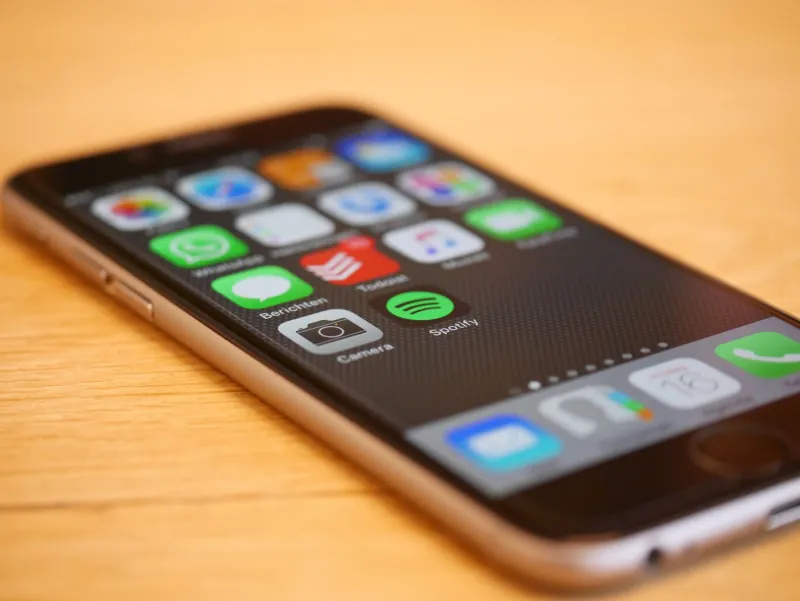
Photo: smartphone Wi-Fi settings showing randomized MAC address option, via images.pexels.com
Among the settings offered in nearly every consumer router's wireless menu, MAC address filtering has the most reassuring name and the least to show for it. The feature invites the owner to build a list of approved hardware addresses and implies that anything absent from the list will be turned away. In practice, it is a guest list checked by a doorman who can be fooled with a nametag.
What the Feature Really Does
Every network interface carries a 48-bit address assigned at manufacture. MAC filtering compares the source address in an incoming frame against an allowlist or blocklist stored on the router. Frames from unlisted devices are dropped before association completes.
That sounds decisive until one considers where the address lives. The 802.11 frame header, which carries the source and destination addresses, travels over the air in a form any nearby adapter in monitor mode can capture. The address is not a secret; it is a broadcast label. And on the client side, changing it is a driver setting on many wireless adapters and a routine capability in others. The sequence is short: observe an allowed address on the air, assign it to your own adapter, connect.
Why the Lock Yields So Easily
The argument becomes clearer when the feature is examined in context. On a network protected by WPA2 or WPA3, an attacker without the passphrase cannot associate regardless of which MAC address they present, so filtering adds nothing to the encryption. On an open network with no passphrase, filtering is the only barrier, and it is precisely the kind of barrier that a determined person clears in minutes. The feature is weakest exactly where it is asked to do the most work.
There is a narrower case worth granting: MAC filtering raises the effort required from an opportunistic neighbor who knows nothing about wireless tools. That is not nothing. But it is deterrence, not protection, and the two should not be confused when deciding how to spend an afternoon on network security.
The Maintenance Tax
The practical costs are less often discussed than the theoretical ones. Modern phones rotate their hardware addresses by default. Apple introduced per-network randomization with iOS 14 in 2020, and Android has offered similar behavior since Android 10 in 2019. A guest whose phone presents a new address for each network will not be on the allowlist, will not connect, and will require the owner to fish out the address from the router's client table and add it manually. Multiply that by every visitor, every replacement device, and every new appliance, and the list becomes a part-time job.
The predictable outcome is that the list is abandoned halfway, or left in place with a dozen stale entries that no longer correspond to any device in the house. Neither result improves security, and both consume attention that could have gone toward measures with real effect.
Where It Retains a Narrow Use
There is nothing wrong with keeping an inventory of the devices that connect to a home network, and a blocklist can be a useful way to keep one specific device off the Wi-Fi: a child's tablet during homework hours, for instance. Those are household management decisions, and MAC filtering can serve them adequately, provided everyone understands that a technically capable user can step around the restriction.
What it should not be is the headline security measure on a router, because it displaces stronger controls that cost about the same effort to configure.
What Actually Holds the Line
The measures below are not glamorous, and that is part of their value. Each one raises the cost of an attack in a way that does not depend on the attacker being uninformed.
Modern encryption. WPA3, certified since 2018, uses Simultaneous Authentication of Equals to resist offline dictionary attacks on captured handshakes. Where WPA3 is unavailable, WPA2 with AES and a long, unique passphrase remains a reasonable fallback. WEP, WPA, and TKIP belong in the same category as a screen door on a bank vault.
A strong passphrase, rotated deliberately. Length defeats guessing more reliably than complexity, and a passphrase that has never appeared in a breach is worth more than one built from substitutions of a common word.
WPS turned off. The Wi-Fi Protected Setup PIN was shown to be vulnerable to brute-force attack in 2011, and the feature has no place on a network where convenience is not the overriding priority.
Administrative discipline. A unique admin password, remote management disabled unless it is genuinely needed, and firmware that is updated on a schedule rather than when something breaks.
Isolation for untrusted devices. A guest network with client isolation keeps visitors and inexpensive smart devices away from the machines that hold personal data. On hardware that supports VLANs, segmentation can go further.
Monitoring. The router's DHCP client list and logs will show what has connected and when. A monthly glance establishes a baseline, and any unfamiliar entry becomes a question worth answering.
A Replacement Program
The transition from MAC filtering to these measures takes about an hour. Inventory the devices that should be on the network. Confirm the wireless encryption is WPA3 or, at minimum, WPA2-AES. Rotate the passphrase if it has not changed in years. Turn off WPS. Move guests and smart devices to an isolated network. Then remove the MAC allowlist, keep the device inventory as a reference, and spend the time saved on a quarterly firmware check.
The Honest Conclusion
MAC filtering is not dangerous. It is simply misallocated effort, a control that feels like a lockdown while behaving like a polite request. The router already offers stronger instruments, and most of them take less maintenance than the allowlist they would replace. Security is better served by the handful of settings that actually change the outcome than by the one that merely looks the part.