One Push to Connect, One Door Left Open: Rethinking the WPS Button on Modern Routers

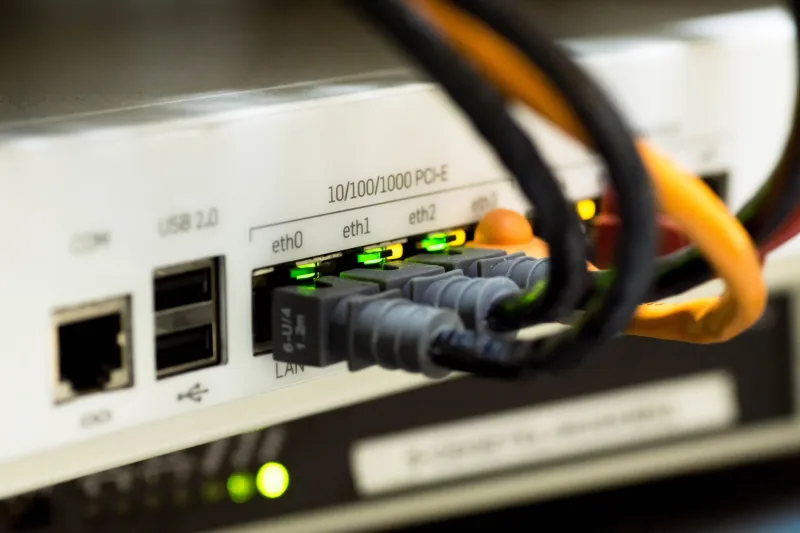
Photo: User:Bluemoose, CC BY-SA 3.0, via Wikimedia Commons
Walk around the back of almost any consumer router sold in the United States and you will find a small button marked WPS, sometimes with a padlock icon and a two-arrow symbol. It is one of the few controls a manufacturer expects a non-technical owner to press, and for good reason: Wi-Fi Protected Setup was created so that joining a network would not require reading a fourteen-character passphrase off a sticker and typing it into a printer.
The convenience is real. So is the trade-off, and it deserves more attention than a button usually gets.
What WPS Is Trying to Solve
Before WPS, adding a device without a keyboard — a wireless printer, a streaming stick, a smart bulb — meant either a temporary open network, a wired setup step, or a manufacturer app that itself needed credentials. WPS standardized the handoff. The router and the client exchange the network key automatically after a short authentication exchange, and the user is spared the typing.
Two mechanisms do that work, and they are not equally sound.
Push-button configuration (PBC). The user presses the router button, then presses a matching button or confirms in an app within a two-minute window. The router accepts a new client during that window and closes it afterward. The window is short, and the exposure is limited to whoever can physically reach the hardware.
PIN method. The client supplies an eight-digit PIN — printed on the device label or generated by the router — and the router validates it. This is the method that has attracted sustained criticism, because the PIN space is small and some implementations validate it in two halves. A well-documented 2011 analysis by researcher Stefan Viehböck showed that the effective search space collapses to roughly eleven thousand attempts, and that many routers at the time imposed no meaningful rate limiting. A determined attacker on the property could complete the exchange in hours rather than months.
Why the Concern Persists in 2026
Fifteen years is a long time in networking, and most current hardware mitigates the original flaw with lockouts, per-client rate limits, or by disabling PIN entry altogether. The problem is that mitigation varies by model, by firmware revision, and by whether the feature was ever revisited after shipping. Routers in service today span a very wide range of engineering vintages, and a substantial number of households run hardware that has not received a firmware update in years.
There is a second, quieter issue. WPS, when enabled, often remains enabled indefinitely. The PIN does not rotate. A guest who connected a friend's phone in 2021 left a capability behind that nobody remembers switching on.
An Honest Account of When WPS Still Helps
It would be unfair to write the feature off entirely. The push-button method, used deliberately, remains a reasonable way to onboard a device that has no screen and no app. It is also a practical accommodation for a household member or visitor who cannot comfortably manage a long passphrase.
WPS is a poor choice when the router sits within reach of a shared hallway, a rental unit's common area, or a ground-floor window in a dense neighborhood. In those settings, physical proximity is not a meaningful barrier.
Turning It Off on Common Admin Panels
The setting is usually one menu deep from the main dashboard. Sign in at the gateway address — 192.168.1.1, or the branded shortcut your manufacturer publishes, such as routerlogin.net on Netgear equipment.
- Netgear: look for a WPS entry under Wireless or Advanced Wireless Settings. Most panels offer separate toggles for the push-button method and the router PIN, and both can be switched off.
- Other consumer brands: check Wireless > WPS, Wireless > Wi-Fi Protected Setup, or Advanced > Security. Some panels present a single Enable WPS checkbox; others list WPS as a status line with a Disable action beside it.
- Mesh systems: WPS is frequently exposed only through the mobile app, under Wi-Fi settings or Add Device.
Disable both methods unless you have an immediate use for one. If a device must be added with the button, switch WPS on, complete the pairing, and switch it off again within the same session.
Guardrails If You Choose to Keep It
Leaving WPS active is a decision, not a default, and can be managed:
- Turn off the PIN method and retain only push-button pairing.
- Change the router's WPS PIN if the panel allows it, and keep the new value with your other network records rather than on a sticky note.
- Do not pair devices while expecting guests. Pair first, then disable.
- Review the connected-device list monthly. An unfamiliar entry is worth investigating even if WPS is off.
- Pair a firmware update with a settings review, so a patch does not silently re-enable a feature you turned off.
The Underlying Point
WPS is not a catastrophe waiting to happen, and treating it as one overstates the risk. It is a convenience feature with a documented weakness, most of it concentrated in a method many routers still ship enabled. The measured response is the same one that applies to remote management and UPnP: know whether it is on, know why, and turn it off when the reason no longer applies.